A dermatology clinic in Utrecht was losing four appointment slots a week to no-shows, each one worth roughly an hour of a practitioner's time nobody could rebook in time. Clinic booking app development for small clinics fixes that specific problem: a scheduling app with automated reminders, GDPR-safe data handling, and CRM sync typically cuts no-show rates by a third or more within the first two months of use. This is a use-case walkthrough of how that gets built, not a sales pitch for software the clinic doesn't need.
| Component | What It Does | Typical Build Time | Key Consideration |
|---|---|---|---|
| Scheduling engine | Enforces slot rules, buffers, recurring visits | 2-3 weeks | Per-practitioner rules, not a single shared calendar |
| Reminder workflow | SMS/email/WhatsApp confirmations before visits | 1 week | Two-way confirmation, not just a one-way alert |
| Patient data layer | Stores contact and visit history | 1-2 weeks | Data minimisation and EU hosting for GDPR |
| CRM/PMS integration | Syncs bookings with existing patient records | 2-3 weeks | Depends heavily on the target system's API quality |
| Admin dashboard | Lets front-desk staff view and adjust the day | 1-2 weeks | Must match how staff actually work, not a generic template |
| Discovery & design | Maps the clinic's actual booking flow before code starts | 1-2 weeks | Skipping this step is where most rework comes from |
Most small clinics run booking through some mix of a phone line, a paper diary, and maybe a shared spreadsheet. It works until the clinic has more than one practitioner or more than a handful of daily slots.
Double bookings happen when two staff members update different copies of the schedule. Patients forget appointments because nobody reminds them past the initial phone call. A receptionist spends real hours each week just calling to confirm visits that could have been confirmed automatically.
The cost isn't abstract. A single missed slot at a physiotherapy or dental clinic represents lost revenue and a wasted practitioner hour that can't be recovered that day. Multiply that across a week and the number gets uncomfortable fast, which is usually the moment a clinic owner starts looking for software instead of another part-time receptionist.
The discovery phase for a clinic booking app means sitting down with front-desk staff and practitioners to map exactly how appointments are booked, changed, and cancelled today, before any screen gets designed. It usually takes one to two weeks and produces a written scope document, not a mockup.
This is where Axire's Discovery & Planning step earns its place first in the process. A generic booking template assumes every clinic works the same way. In practice, a GP practice with 20-minute slots and a physiotherapist running 45-minute sessions with equipment gaps between them need different scheduling logic entirely.
The clinics that skip this step end up with a booking app that fights their actual workflow — practitioners working around the software instead of through it.
Interviews with reception staff usually surface the real constraints: which practitioners need buffer time between patients, how walk-ins get slotted in, and which cancellations need a manager's approval. That detail becomes the spec, not an afterthought fixed in a change request three weeks into development. Readers wanting the fuller mechanics of this stage can see how a booking app differs from a marketing website in scope and complexity.
Good scheduling logic isn't one calendar with slots blocked off. It's a set of rules layered per practitioner, per service, and per location if the clinic has more than one.
Getting this logic right in the first build matters more than any visual polish. A clinic will forgive a plain interface. It won't forgive double-booked practitioners.
The reminder system is the feature that pays for the whole build. A single reminder sent 24 hours before an appointment reduces no-shows meaningfully on its own; adding a second reminder two hours out and a confirmation link pushes the reduction further.
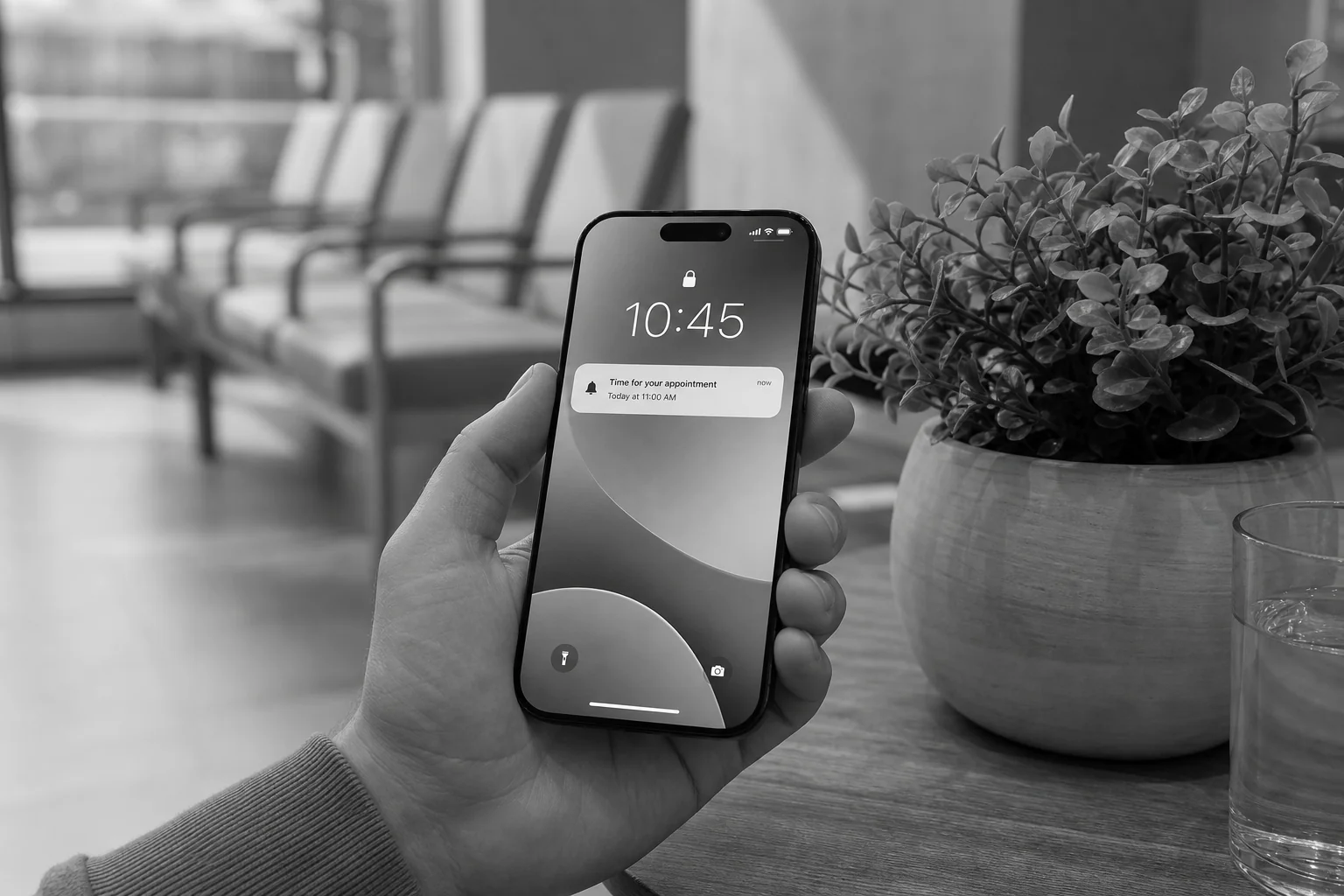
The mechanics matter more than the channel. A reminder that only tells the patient about the appointment does less than one that asks them to confirm or cancel with a single tap. That two-way step is what frees up the slot early enough for someone else to take it, instead of the clinic finding out at check-in time that the patient isn't coming.
A rebooking link inside the reminder, rather than a phone number to call, removes the last bit of friction that keeps a cancelled slot empty.
A clinic booking app is GDPR compliant when it collects only the data needed to schedule and confirm a visit, encrypts it in transit and at rest, hosts it within the EU, and gives the clinic a documented process for patient data deletion requests. None of that happens automatically; it has to be designed in from the first data model.
This article is not legal advice, and clinics should confirm their specific obligations with a data protection professional. What a development partner controls is the technical side: which fields the app actually stores, how long it keeps them, and who can access them.
Practically, that means a few concrete choices during the design phase. Store contact details and appointment history; avoid storing clinical notes inside the booking layer unless the clinic's CRM already handles that separately. Use consent checkboxes at signup that state clearly what reminders the patient is opting into. Host the database on infrastructure located in the EU rather than defaulting to a US region. Build a clear path for a patient to request their data be deleted, and make sure that request actually removes them from the reminder queue, not just from a visible list.
A signed data processing agreement between the clinic and its development partner should exist before launch, spelling out who is responsible for what if there's a breach. Axire's approach to secure, modern web development treats this as a standard part of the build, not a premium add-on.
Most small clinics already run some patient management system, even if it's a basic one. A booking app that doesn't talk to it just creates a second database the front desk has to keep in sync by hand.

API integration between the booking app and the clinic's CRM or practice management system is what removes that duplicate work. When a patient books online, the appointment should appear in the CRM automatically, and any updates made in the CRM by staff should reflect back in the booking app's availability.
The complexity here depends entirely on what CRM the clinic already runs. Systems with modern, documented APIs are straightforward to connect. Older or niche practice management tools sometimes require custom middleware, which adds time to the build but is far cheaper than asking staff to maintain two systems indefinitely. This is one reason a proper discovery phase matters: knowing the target CRM before development starts avoids a costly mid-project surprise.
A lot of clinics start with a free or low-cost booking widget embedded on their website. That's a reasonable first step, but it has a ceiling.
| Factor | Off-the-Shelf Widget | Custom-Coded App |
|---|---|---|
| Upfront cost | Low or free, subscription-based | Higher upfront, one-time development cost |
| Scheduling rules | Generic, limited per-practitioner logic | Built around the clinic's actual rules and buffers |
| CRM integration | Rarely supported, or limited to a few named systems | Built to connect with the clinic's specific CRM |
| Branding | Widget look and feel, limited customisation | Matches the clinic's own site and brand |
| Data ownership | Data sits with the widget vendor | Clinic owns its patient data and infrastructure |
| Scalability | Struggles past one location or a handful of practitioners | Built to add locations and practitioners as the clinic grows |
The widget route makes sense for a single-practitioner clinic testing demand. Once a clinic has more than two or three practitioners, or needs CRM sync, the workaround costs (staff time, duplicate data entry, patient frustration with a clunky interface) start to outweigh the lower upfront price. This booking layer sits separate from the clinic's marketing site; for the site-side conversion work, see the earlier piece on what drives website redesign costs and scope, since the two projects are often confused as one build.
Axire's four-step process applies directly to a clinic booking build, and the timeline stays predictable because each phase has a defined output.

That puts a working MVP in a small clinic's hands in roughly six to ten weeks, depending on how much custom logic the scheduling rules require and how cooperative the existing CRM's API is. Clinics evaluating any partner for this kind of build should ask the same questions covered in how to evaluate a development partner before committing.
No. A booking app is a scheduling layer that usually embeds into or links from the existing clinic website, which still handles services information, location, and patient trust signals. The two are separate builds with separate goals.
Cost depends on scheduling complexity, the number of practitioners, and how much CRM integration work is required, so it varies clinic to clinic. Contact a development partner directly for a scoped estimate rather than relying on a generic figure.
In most cases, yes, provided the existing system has a documented API. Systems without one may need custom middleware, which is assessed during the discovery phase before development begins.
A properly built app includes a defined deletion process that removes the patient from active records and any scheduled reminders, consistent with data minimisation principles clinics should confirm with their own compliance advisor.
Small clinics don't need an enterprise hospital system to stop losing revenue to missed appointments. They need a scheduling tool built around how their practitioners actually work, reminders that patients actually respond to, and a data layer that respects patient privacy from day one. That's what a properly scoped clinic booking app delivers, and it starts with a discovery conversation, not a template.
If your front desk is still juggling a paper diary and a phone line, it's worth seeing what a purpose-built system looks like for your clinic specifically. Explore Axire's app development services, browse examples of past builds in our work, or get in touch directly to discuss your clinic's booking workflow and get a realistic scope and timeline back.
Let's discuss your project and create something amazing together.