
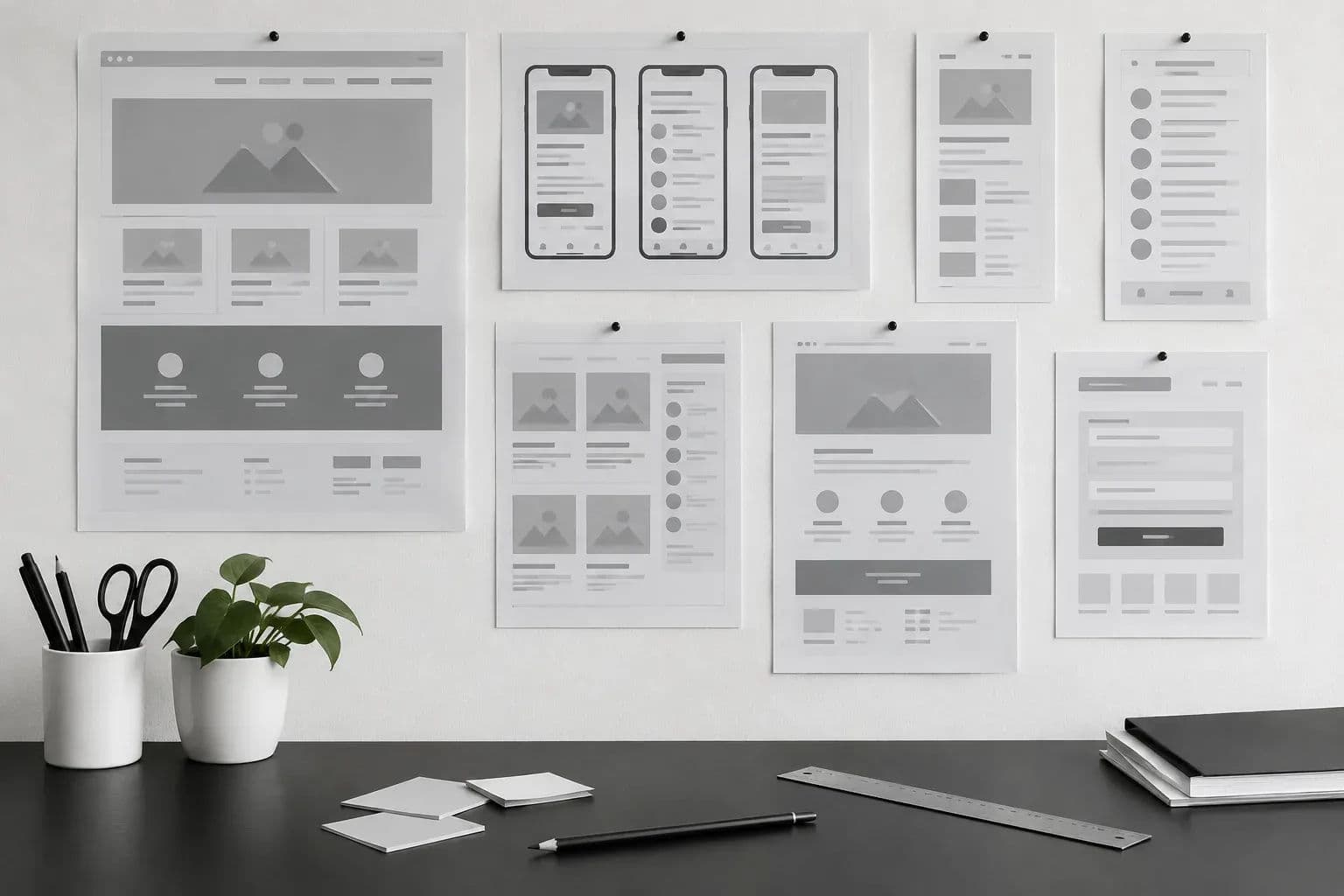
Wireframe vs prototype: learn what each one does, when a founder needs one or both, and what to ask when a quote lists prototyping. Get the facts.
A wireframe is a low-fidelity sketch that fixes structure and layout, while a prototype is a clickable, high-fidelity simulation you test with real users before coding. In the wireframe vs prototype question, most founders need wireframes first, then a prototype for the flows that carry risk. Neither replaces working software.
Key Takeaways
- Wireframes settle structure: They show which screens exist, what sits on each and how a person moves between them, with no colour or styling to debate.
- Prototypes test behaviour: A clickable prototype shows whether someone can finish a task such as signing up or booking, before developers write production code.
- Order matters: Wireframe first, then prototype only the critical paths. Skipping wireframes pushes structural arguments into expensive high-fidelity work.
- Cost follows fidelity: Wireframes are the cheapest thing to change. Every step up in detail adds design time, so scope the prototype to the flows that carry risk.
- Read the quote line: If a quote says "prototyping" with no screens, flows, revision rounds or deliverables, ask for a breakdown before you sign.
Wireframe vs Prototype at a Glance
| Question | Wireframe | Clickable prototype |
|---|---|---|
| What it shows | Layout, hierarchy, content order | How screens link and how tasks flow |
| Fidelity | Low: boxes, labels, simple lines | High: looks and behaves like the product |
| Interactive? | Usually static | Yes, people click through it |
| Best stage | Discovery and early design | Late design, before development |
| Main question it answers | Is the structure right? | Can people complete the task? |
| Cost of changing it | Lowest | Higher, because visuals and links need updating |
| Is it working software? | No | No, it simulates the product |
You have probably just received a design quote with a line for wireframes, another for prototyping, or one vague line covering both. This guide explains what each deliverable is, when you need it, what it does to your timeline and budget, and which questions to put to the team that quoted you.
What Is a Wireframe?
A wireframe is a low-fidelity sketch of a page or screen that shows structure only: where content, buttons and navigation sit, and how a person moves between them. It has no real colours, images or detailed styling. Its job is to settle layout and priorities cheaply before anyone designs or codes.
University usability guidance describes wireframes as low-fidelity sketches of basic page structure, a blueprint that focuses on where things go and how users move through the experience, not on colour, imagery or fine detail. That is the right mental model. A wireframe answers "what is on this screen and in what order?" and nothing more.
What a good wireframe contains
- Screen inventory: every page or screen the first version needs, listed once.
- Content blocks: headline, form, list, button, image slot, placed in priority order.
- Navigation and routes: how someone gets from the home screen to the key action.
- Role differences: what an admin sees compared with a customer, if the product has both.
- Annotations: short notes on rules, such as "only shown after payment".
Why wireframes are fast and cheap to change
Because nothing is styled, moving a section means dragging a box. Nobody has polished a colour palette or exported assets that now need redoing. Stakeholders also argue less about taste, because there is no taste to argue about yet. The conversation stays on structure, which is exactly what you want in the first few weeks.
The trade-off is that wireframes are easy to misread. A founder looking at grey boxes may not realise a flow is clumsy until they click through it. That gap is what prototypes fill.
What Is a Prototype?
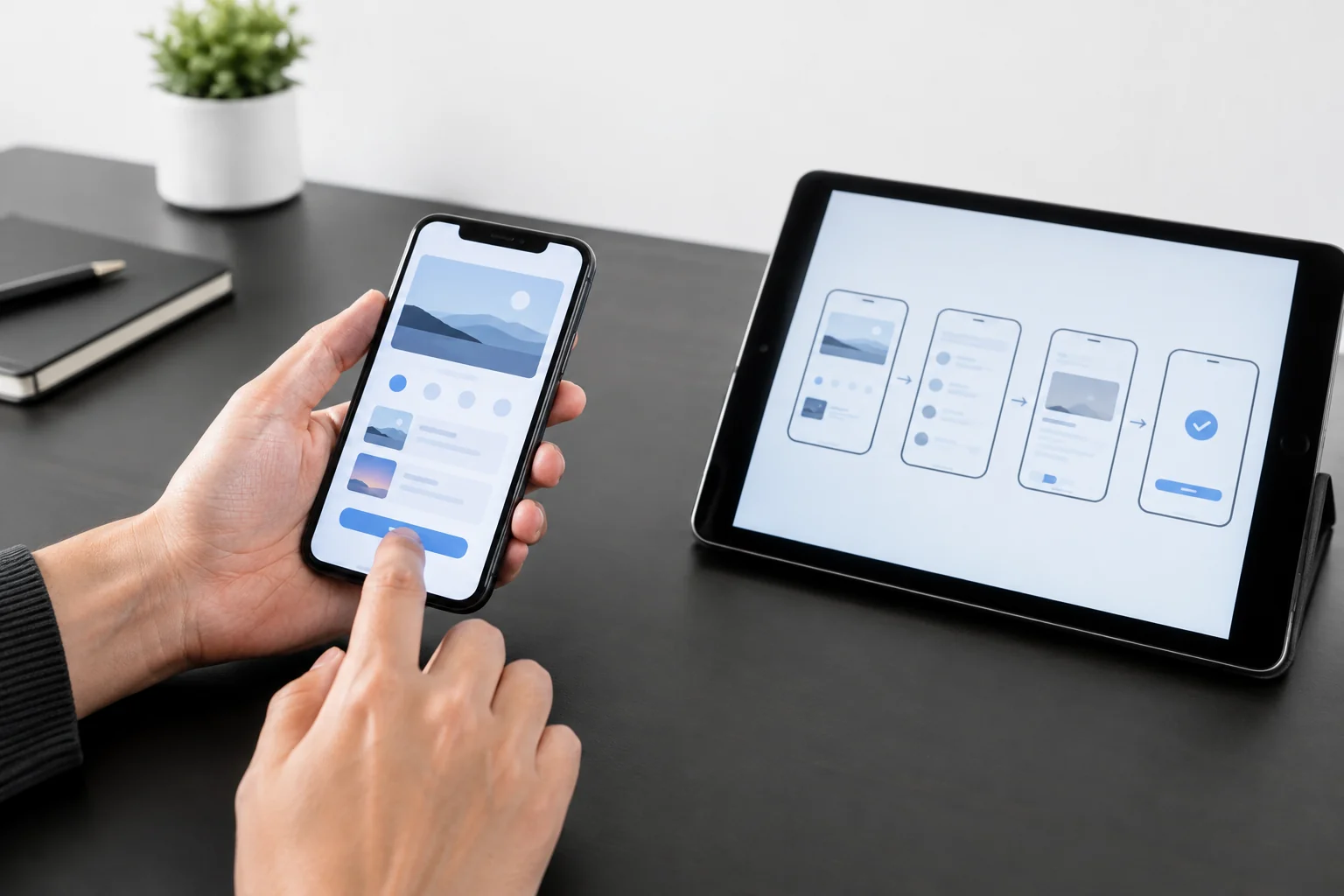
A prototype is an interactive, high-fidelity version of the product you plan to build. People can click through screens, complete tasks and see how the design will look and behave, without any working backend. Its job is to test whether the design makes sense to real users before developers write production code.
Government digital guidance puts it this way: a prototype is an interactive, high-fidelity version of the experience you plan to build, and combined with methods like usability testing it helps you check a design concept. A second university source adds that, unlike static layouts, prototypes reveal how people navigate between pages and complete tasks.
Fidelity is a dial, not a switch
Prototypes range from linked paper sketches to near-final screens in a design tool. A low-fidelity clickable prototype might only link wireframes together. A high-fidelity one uses final colours, type and real copy. The higher the fidelity, the more convincing the test, and the more time it takes to build and update.
Axire designs in Figma and Adobe Creative tools, and prototypes inside the design phase. The practical advice is to match fidelity to the question. If you only need to know whether the booking flow is understandable, a mid-fidelity prototype is usually enough. If you need to show investors how the product feels, go higher.
What a prototype is not
- Not a build: nothing is saved, no payments run, no data is stored.
- Not a mockup: a mockup is a static, detailed picture; a prototype links those pictures into a flow.
- Not an MVP: an MVP is working software that real users depend on.
Wireframe vs Prototype: Side-by-Side Comparison
The two deliverables sit next to each other in the design process but do different jobs. The table below compares them on the attributes that change your decision: what they test, who they help, how long they take and what they commit you to.
| Attribute | Wireframe | Mockup | Clickable prototype |
|---|---|---|---|
| Core purpose | Agree structure and priorities | Agree look and feel | Test flows and usability |
| Visual detail | Minimal | Full, static | Full or partial, interactive |
| Interaction | None or basic links | None | Taps, transitions, multi-step flows |
| Who benefits most | Founder, product owner, developers | Brand owner, investors | Users in testing, whole team |
| Risk it removes | Wrong screens or wrong order | Wrong style | Task confusion, dead ends |
| Typical effort to revise | Low | Medium | Medium to high |
| What developers take from it | Screen list and layout logic | Visual specs | Behaviour and flow rules |
When a wireframe is enough on its own
Some projects do not need a clickable prototype. A brochure website with a handful of templates, a simple landing page or an internal tool used by a few trained people can go from wireframes to a visual design to code. The risk of task confusion is low, so the extra layer buys little.
When you need both
Products where a user must finish a task, such as sign-up, booking, checkout or onboarding, benefit from a prototype. So do products with several user roles, because each role is a separate flow. If you are building something your customers have never used before, test it before you pay to build it.
Sometimes a team can use wireframes and prototypes to communicate design intent to developers and stakeholders, keeping enough detail to preserve decisions while leaving room for technical constraints. That second job, handing intent to developers, is easy to forget when you are comparing quotes.
Which One Fits Discovery and Which Fits Design?
Use wireframes in discovery and early design, when the open question is structure: which screens exist, what goes on them and in what order. Use a clickable prototype once the structure is agreed and the open question is whether people can complete the task. Most products benefit from both, in that order.
Axire works in four steps: Discovery and Planning, Design and Prototyping, Development and Testing, then Launch and Support. Wireframes belong at the join between the first two. Interactive prototypes belong in the second step, before development begins.
Discovery and planning: wireframes carry the weight
Discovery is where we learn your business goals, audience and requirements through detailed consultation. The output you need from it is a shared picture of scope. Wireframes of the key screens turn a list of features into something you can point at and say "that is missing" or "we do not need that yet".
This is also where choosing between a proof of concept, a prototype and an MVP gets decided. If the biggest unknown is technical feasibility, a proof of concept comes before either. If it is whether anyone will use the product, wireframes and a prototype help you find out cheaply.
Design and prototyping: the prototype earns its place
In the design step we create wireframes, mockups and interactive prototypes to visualise the project. By now the structure is agreed, so the prototype can focus on the paths that matter: onboarding, the main task, payment, account settings. Test those with five to eight people from your target audience if you can, and note where they hesitate.
If you want a tighter, time-boxed way to do this, a design sprint before development compresses structure, prototype and testing into one focused stretch.
A simple decision rule
Ask what you are most unsure about today. The answer picks the deliverable.
- Unsure about structure, scope or role differences: start with wireframes.
- Unsure whether users can complete a task: build a clickable prototype of that task only.
- Unsure about look and brand: add mockups, which are separate from both.
- Unsure whether it can be built at all: run a proof of concept first.
- Unsure about all of the above: wireframes first. They are the cheapest way to find out which uncertainty is the real one.
How Does the Choice Change Time and Budget?
Wireframes cost the least time and are the cheapest thing to change, so they protect the budget early. A prototype adds design and testing time, but it finds usability problems before development, where fixing them costs far more. Skipping both usually moves the same decisions into code, where every change takes longer.
We do not publish a fixed price for either deliverable here, because scope drives the number: screens, flows, roles, revision rounds and how much testing you want. For a wider view of what moves a build budget, see our breakdown of what drives startup web app cost.
A hypothetical worked example
Suppose a founder plans a booking app with 12 screens. During a wireframe review, they realise users must create an account before they can even see availability, and they want to reverse that. In a wireframe, that is moving two boxes and redrawing an arrow.
Now suppose the same change is found after development. The sign-up screen, the availability screen, the data rules, the tests and the navigation all change. Nobody has to guess a figure to see the pattern: the same decision, made later, touches more people and more files. This example is illustrative, not a client case.
Where prototype time goes
- Number of flows: each extra path, such as cancelling or rescheduling, is more linking and more states to design.
- Fidelity: final visuals and real copy take longer than linked grey screens.
- Testing: recruiting people, running sessions and writing up findings is real work, separate from building the prototype.
- Revision rounds: each round of changes after feedback adds time, which is why the number should be stated.
For schedule planning, our MVP timeline breakdown in weeks shows where design fits before the build starts.
What Should You Ask When a Quote Lists Prototyping?
Ask what the prototype covers, how many screens and flows, how much fidelity, who tests it and what you own afterwards. A clear answer names the flows, the number of revision rounds and the file format. A vague line such as "prototyping" with no scope or deliverable is the signal to ask for a breakdown.
Use the checklist below. Each question has a pass mark and a walk-away signal, so you know what a good answer sounds like.
The checklist
- Which flows are in the prototype? Pass: named flows such as sign-up, booking and payment. Walk away: "the main screens" with no list.
- How many screens and states? Pass: a number or a range tied to the flows, including error and empty states. Walk away: no count at all.
- What fidelity, and why? Pass: the team explains the level they chose against your goal. Walk away: "always high-fidelity" for a simple site, or no explanation.
- Are wireframes included first? Pass: yes, and signed off before visual design. Walk away: they jump straight to polished screens for a multi-role product.
- Will it be tested with users? Pass: a stated plan for who, how many and what you receive. Walk away: testing is assumed but not listed.
- How many revision rounds? Pass: a stated number, with a clear price or rule for extra rounds. Walk away: "unlimited" with no schedule, or no mention.
- What do you own and receive? Pass: editable design files and a link to the prototype. Walk away: the files stay on the agency's account.
- How does it feed development? Pass: the team describes the handoff. Walk away: design and development are treated as unrelated.
If a check fails, do not argue about the total. Ask for the line to be split into wireframes, mockups, prototype and testing, each with its own scope. Our guide to vetting a mobile app quote before signing works through the same logic for the full quote.
Where Do PoC and MVP Fit?
A proof of concept tests whether something can be built, a prototype tests whether people can use it, and an MVP tests whether people want it enough to adopt it. Wireframes sit before all three as a planning tool. Build first whichever one removes your biggest unknown.
Many founders search for "PoC vs prototype vs MVP" at this point, because the three words get used loosely in quotes. A quick way to tell them apart is to ask what each one is allowed to be wrong about.
| Deliverable | Tests | Is it working software? | Typical audience |
|---|---|---|---|
| Wireframe | Structure and priorities | No | Founder and delivery team |
| Proof of concept | Technical feasibility | Partly, for one risky piece | Technical team, sometimes investors |
| Prototype | Usability of a design | No, it simulates | Test users and stakeholders |
| MVP | Real demand | Yes | Early real users |
We cover the three-way split in more depth in a separate post, linked earlier. The short version for this decision: wireframes and prototypes cost you design time, and an MVP costs you development time, so test the idea at the cheapest level that still answers your question.
Handoff: What the Choice Does to the Build
Your design choices carry straight into development. Axire builds web products with React, Next.js, Node.js and Supabase, and mobile apps with React Native, so a clear wireframe and a tested prototype give developers a precise target instead of a guess.
What developers take from each
From wireframes, developers get the screen list, the layout logic and the role rules. That is enough to plan the data model and the page structure. From a prototype, they get behaviour: what happens on tap, what an error looks like, how a step transitions. That reduces the number of questions mid-build.
Neither is a spec on its own. Developers also need components, spacing, states and notes on edge cases. Our post on design handoff docs and what developers actually need lists those.
What happens when the stage is skipped
When there are no wireframes, developers often discover structure problems while building. When there is no prototype, usability problems show up in testing or after launch. Both are fixable, and both cost more once code exists. The honest limit is that no prototype predicts everything. Real users in real conditions will still surprise you, which is why testing continues through development and launch.
One point still open
How much prototype is enough is a judgement call, not a formula. Two experienced teams can disagree on whether a six-screen flow needs high fidelity. Our own bias, for a startup watching its budget, is wireframes for everything and a prototype for the one or two flows that carry the most risk. A founder with investors to impress, or a regulated product with strict flows, may reasonably spend more.
FAQ
Can I skip wireframes and go straight to a prototype?
Yes, for a very small product with a handful of screens, a designer can wireframe and prototype in one pass. For anything with several user roles or flows, skipping wireframes tends to push structural arguments into a costly high-fidelity design, so a quick wireframe round first is safer.
Is a mockup the same as a prototype?
No. A mockup is a static, high-fidelity picture of how a screen will look, with colours, type and imagery. A prototype links those screens so they can be clicked. A mockup shows appearance; a prototype shows behaviour. Many teams build the mockup first, then connect it into a prototype.
Is a prototype the same as an MVP?
No. A prototype simulates the product and usually has no real backend, so nothing is saved and nobody can rely on it. An MVP is working software in real users' hands with the smallest feature set that tests demand. A prototype tests a design; an MVP tests the market.
Do I need a clickable prototype for a simple website?
Often not. A brochure site with few templates is usually well served by wireframes of the key pages plus a visual design for the homepage. A clickable prototype earns its cost when users must complete a task, such as signing up, booking or checking out, because that is where confusion costs conversions.
Next Step: Scope Your Design Stage With Axire
If you are holding a quote and cannot tell what the prototyping line buys, send it to us. We respond to all inquiries within one working day, and our team in India overlaps with CET afternoons. Contact Axire Infotech at hello@axire.in to talk through your wireframe vs prototype decision.
To see how the pieces fit, read about our UI/UX design service, how we build with web development and cross-platform app development, or browse all services. You can also see our past projects and more founder guides in our blog.